
Skip to content
Calendar · Reminders · Weather · Focus

See your whole day in a single glance.

Day Glance Pro turns your Home and Lock Screen into a calm command center — events, reminders, weather and focus time in one beautiful widget. One look tells you what’s next, when to leave, and what’s still on your list, without opening a single app.

Download on the App StoreGet it on Google PlayComing soon See what it does

Free widget, forever · Pro from $2.99/mo. No account. No tracking.

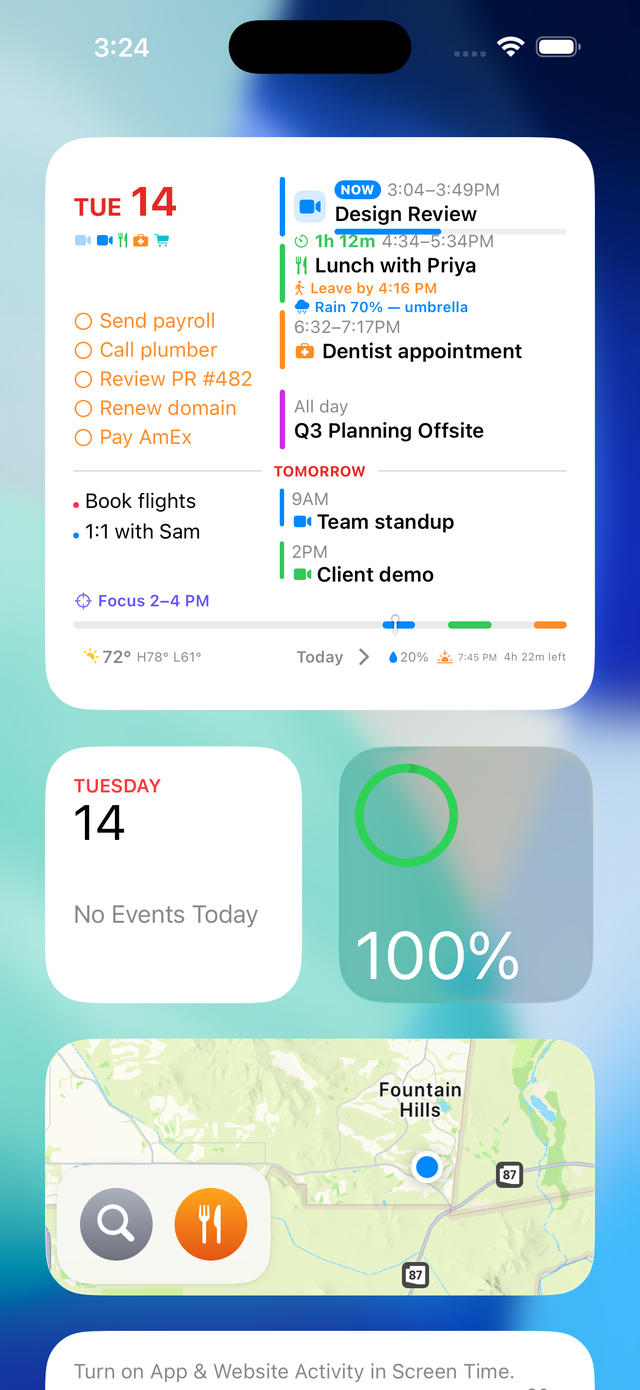
The large Day Glance Pro widget on the iPhone Home Screen
Everything stays on your device
No account, no sign-in
No ads, no tracking
iPhone & iPad · widgets, Lock Screen & Dynamic Island
The widget

Your whole day in one widget.

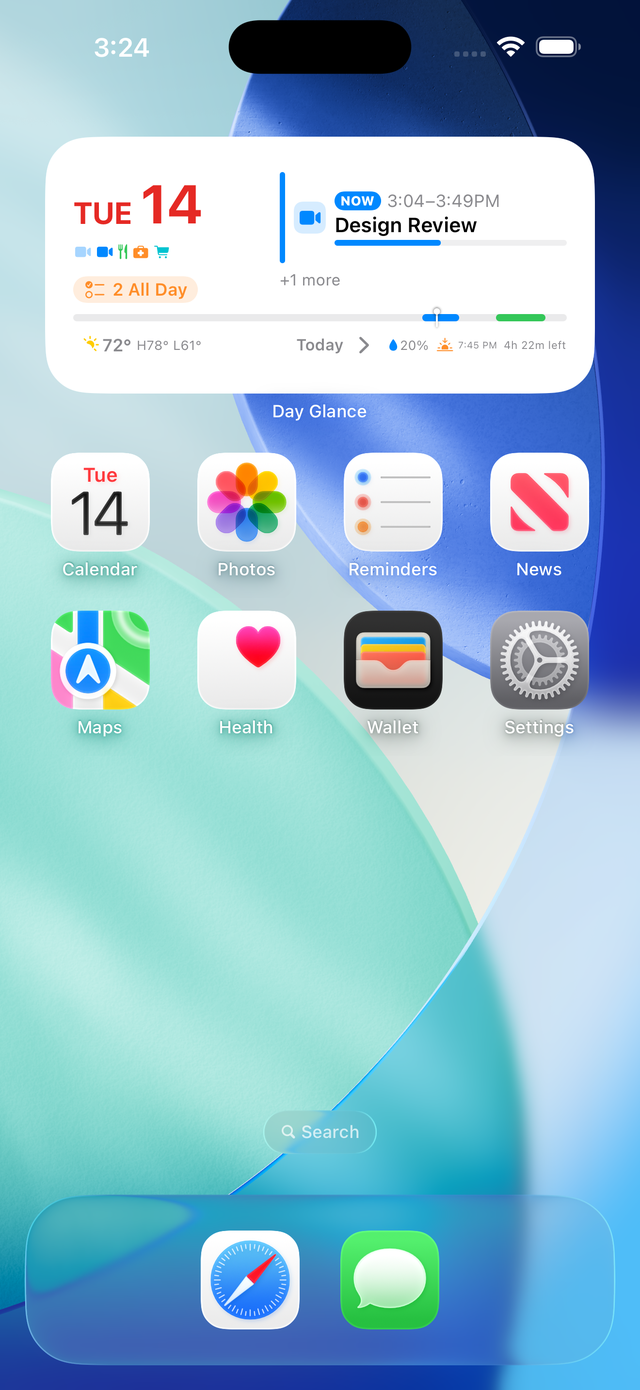
Put it on your Home or Lock Screen and you barely need to open the app. Go large for the full picture, or medium for the essentials.

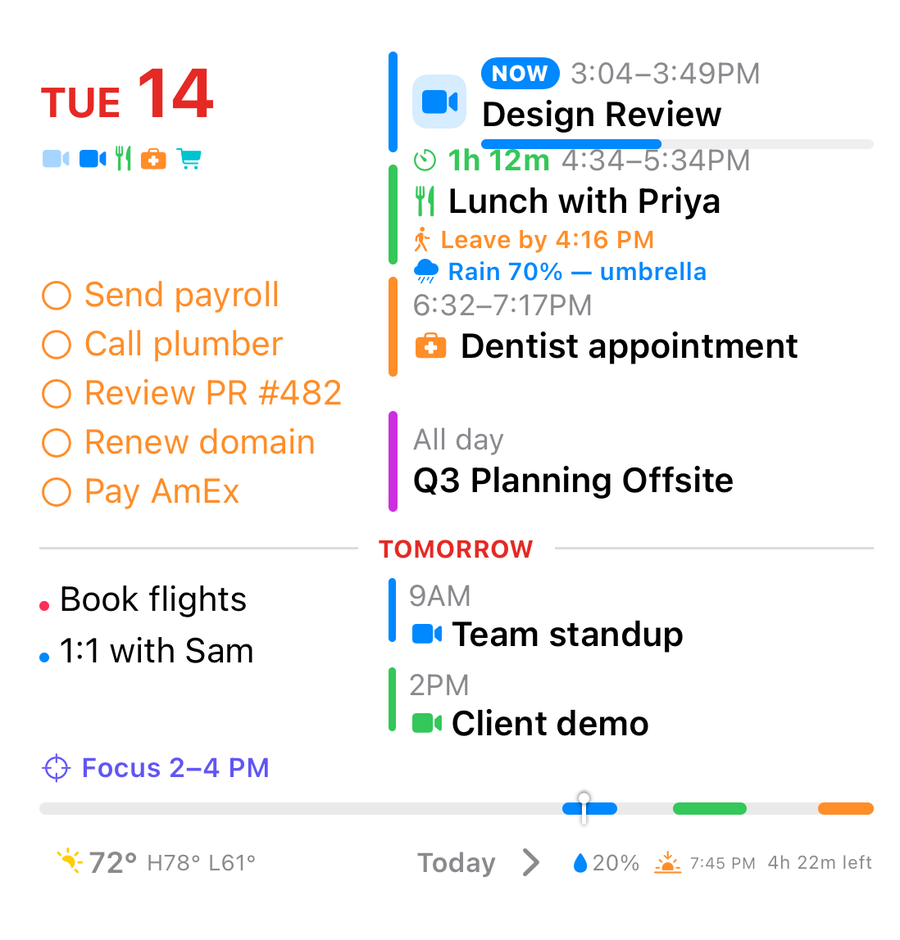
  • your next meeting up top, with a live "time left" and progress bar
  • a "leave by" time and weather nudges right on the event — "rain 70% — umbrella"
  • today’s reminders and all-day events, side by side
  • a tomorrow preview, so tonight you already know your morning
  • comes in small, medium and large — put it where it fits
The large Day Glance Pro widget — the full day: meetings, reminders, weather and a tomorrow preview
Large
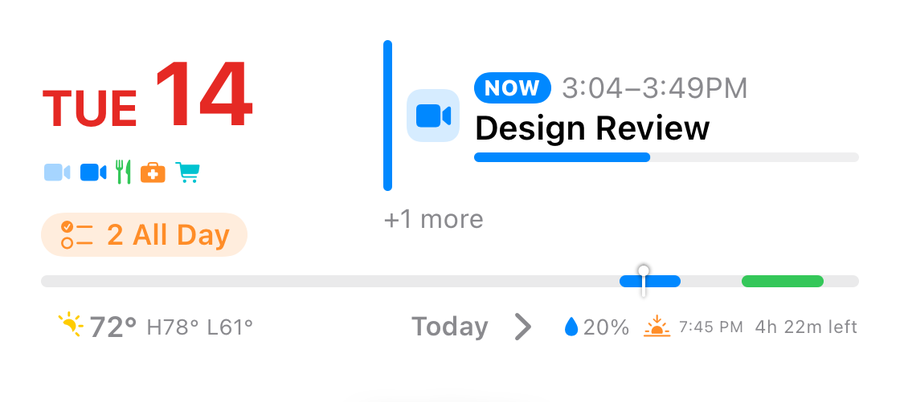
The medium Day Glance Pro widget — your next meeting, day at a glance and weather
Medium
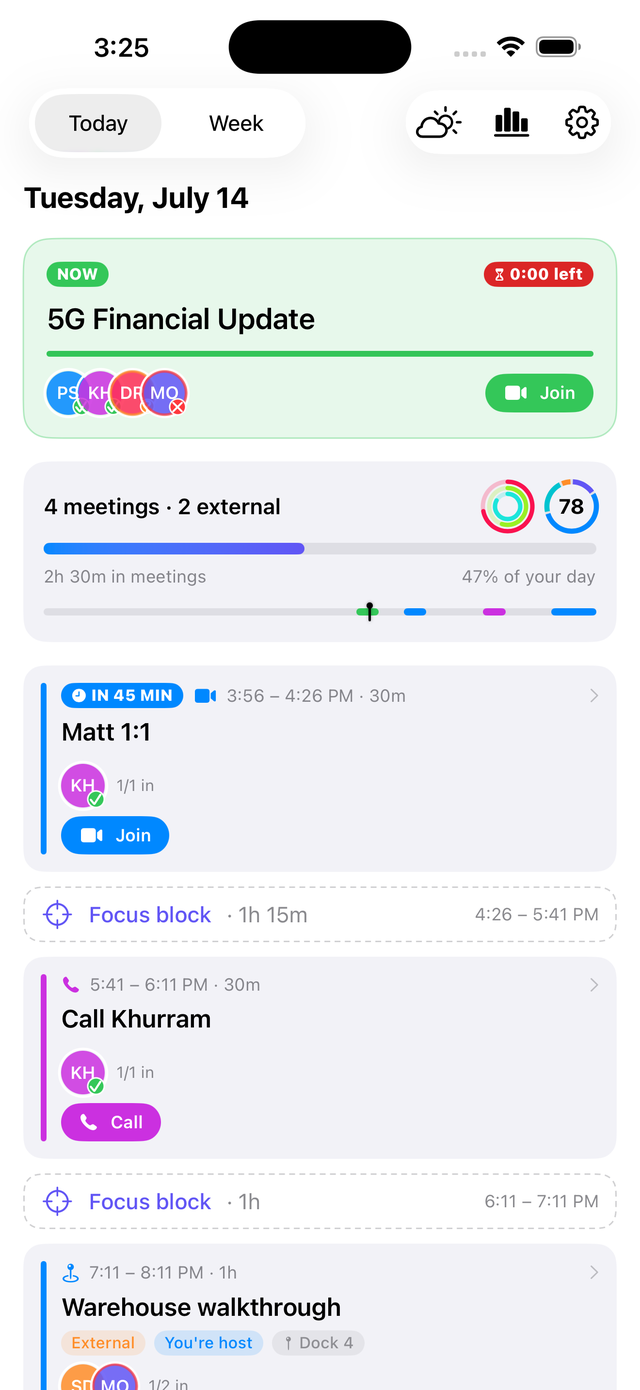
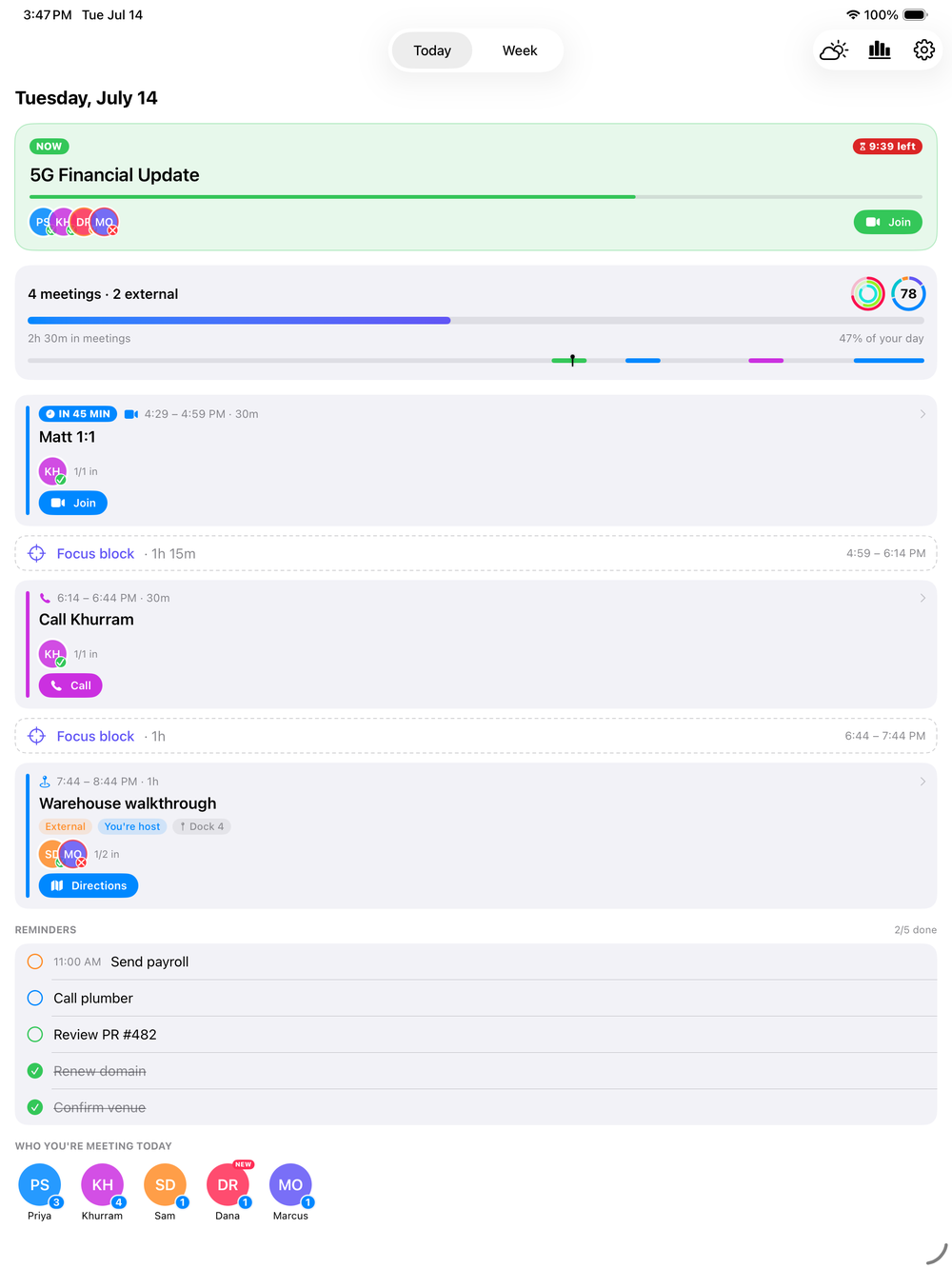
The Today screen showing the current meeting, day summary and timeline
The Today screen

Now, next, and what’s left.

  • your entire day in order, with the current meeting highlighted
  • a live "time left" badge when a meeting is in progress
  • today’s reminders — done and still to do — right where you need them
  • the same day timeline you see on the widget, so nothing feels out of place
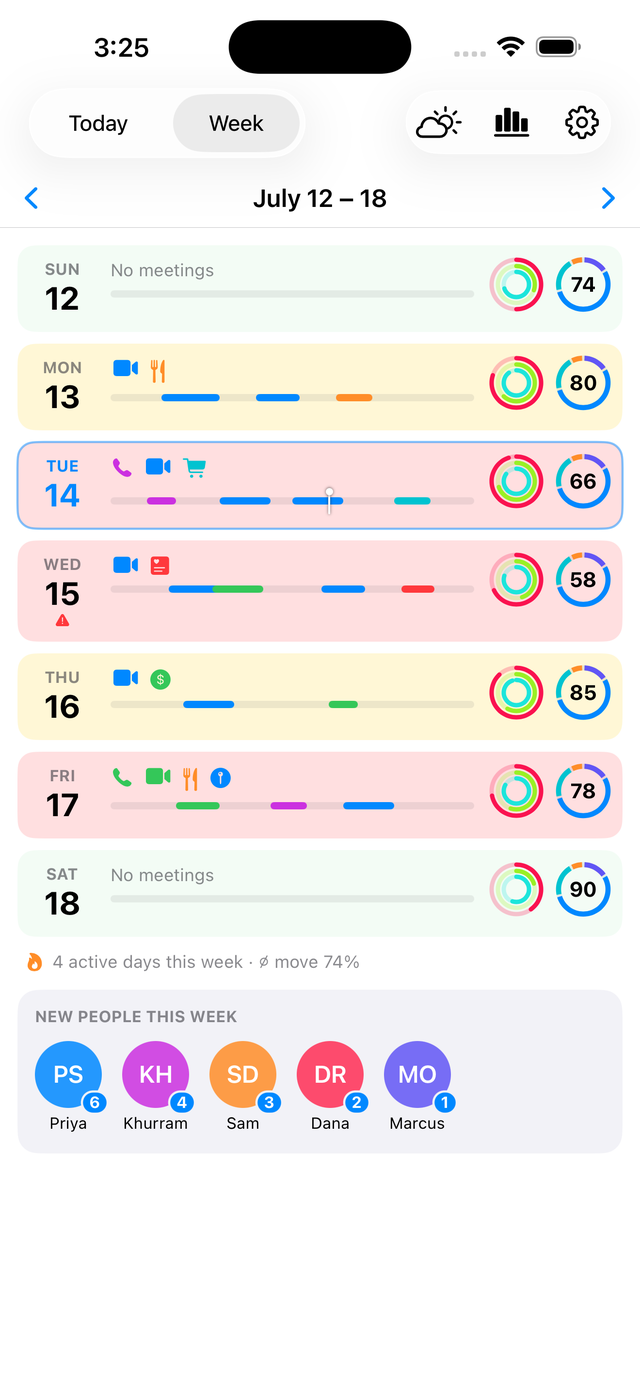
The Week overview color-coded by how busy each day is
Week
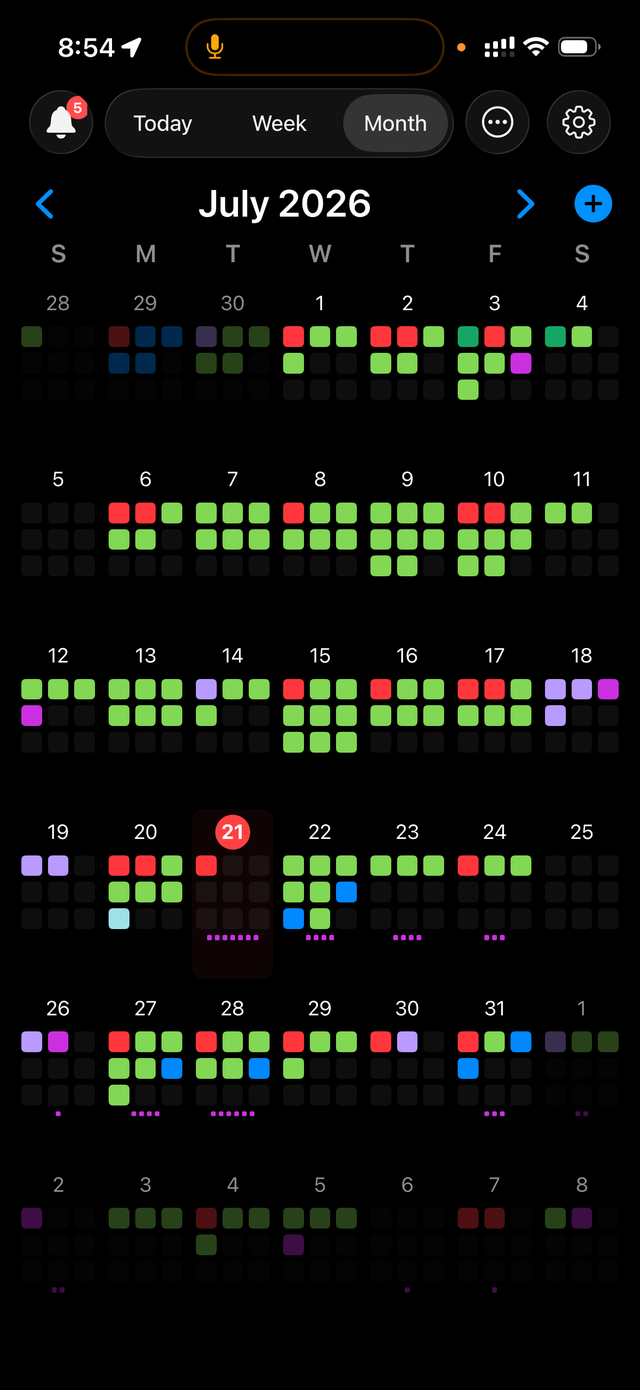
The Month view — a busy grid color-coded by how full each day is
Month
Three ways to see time

Read your week — and your month — at a glance.

  • Today, Week and Month views that slide smoothly between days, weeks and months
  • a Month view that color-codes each day by how busy it is
  • switch Today between a full breakdown and a compact "just the events" layout
  • a full-screen nightstand Display mode that starts on its own when you set the phone on a charger
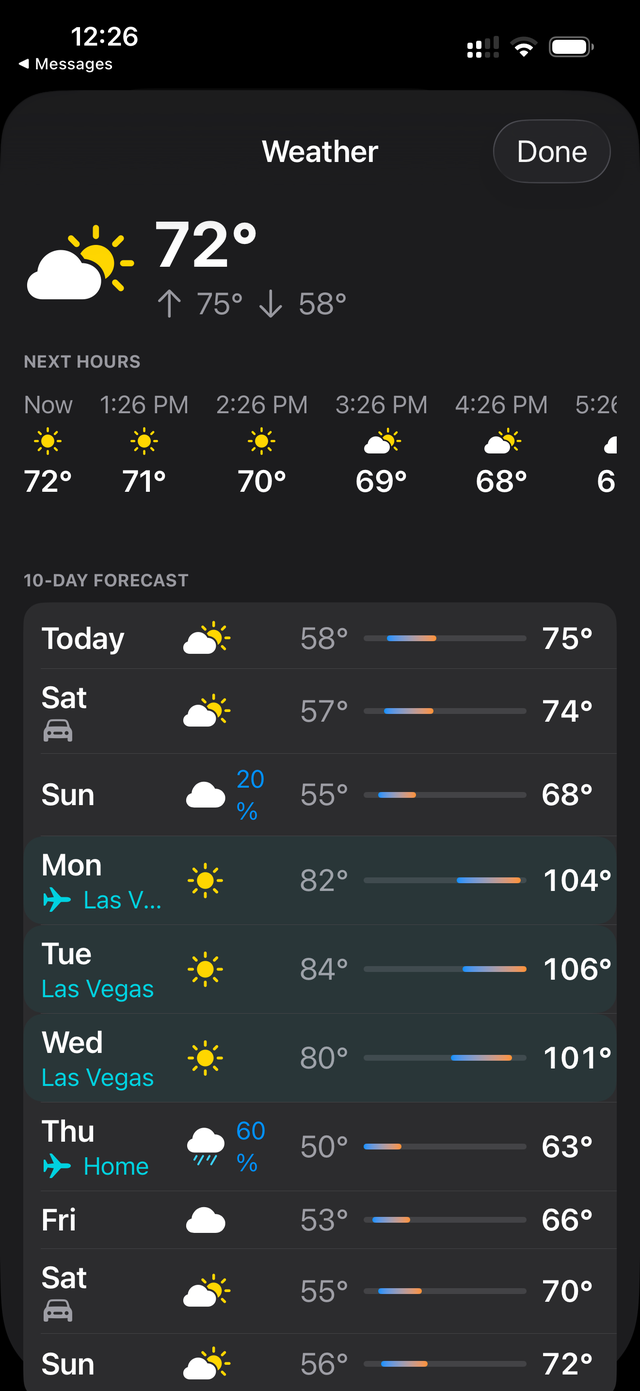
The weather detail with an hourly strip and a 10-day forecast, showing destination weather on travel days
Weather

The weather, right where you’ll see it.

Not another weather app to check — it’s woven into the day you’re already looking at.

  • rain on your 3 PM shows up on the event itself, not in a separate app
  • an hourly strip and a full 10-day forecast, built right into your view
  • on travel days, you see your destination’s weather instead of home
  • a traffic-aware “leave by” for events with a location
Display Mode

Your nightstand, upgraded.

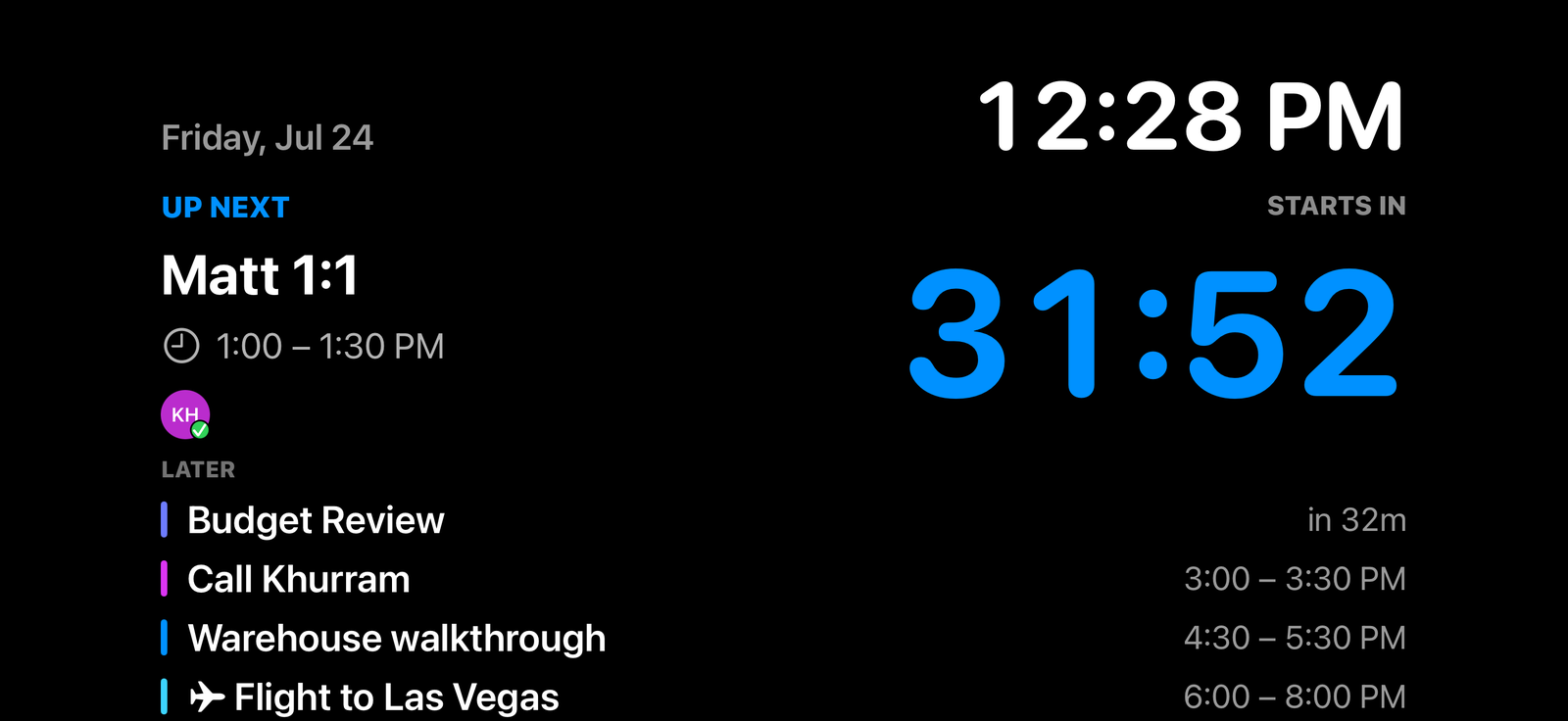
Set your phone on a stand while it charges and Day Glance Pro turns landscape into a live dashboard — the time, a big countdown to your next meeting, and the rest of your day. It starts on its own, so your desk or bedside always shows the plan.

Display Mode — a full-screen landscape dashboard with the current time, a live countdown to the next meeting, and the rest of the day’s schedule

Everything Day Glance Pro does

Your calendar app tells you what’s next. Day Glance Pro tells you what to do about it.

Your day at a glance

  • events, reminders and weather in one Home or Lock Screen widget
  • your "now" and "next" with a live countdown and progress bar
  • a row of tiny icons so you read the shape of your day in one look
  • small, medium and large — put it where it fits your setup
Meetings, handled

  • join Zoom, Meet and Teams with one tap — directions in one tap too
  • a "leave by" time that uses live traffic
  • see who’s coming: accepted (green), tentative (yellow), declined (red)
  • a push or break-through alarm when you’re double-booked

Reminders + tasks

  • what’s due today, right beside your events
  • check reminders off straight from the widget — no app-switching
  • reminder dots on the Week and Month so nothing sneaks up on you

Weather that travels with you

  • current conditions plus a 10-day forecast, at a glance
  • weather-aware nudges ("rain 70% — grab an umbrella", "92° — hydrate")
  • on a trip? the forecast automatically shows your destination city

Your health, in context

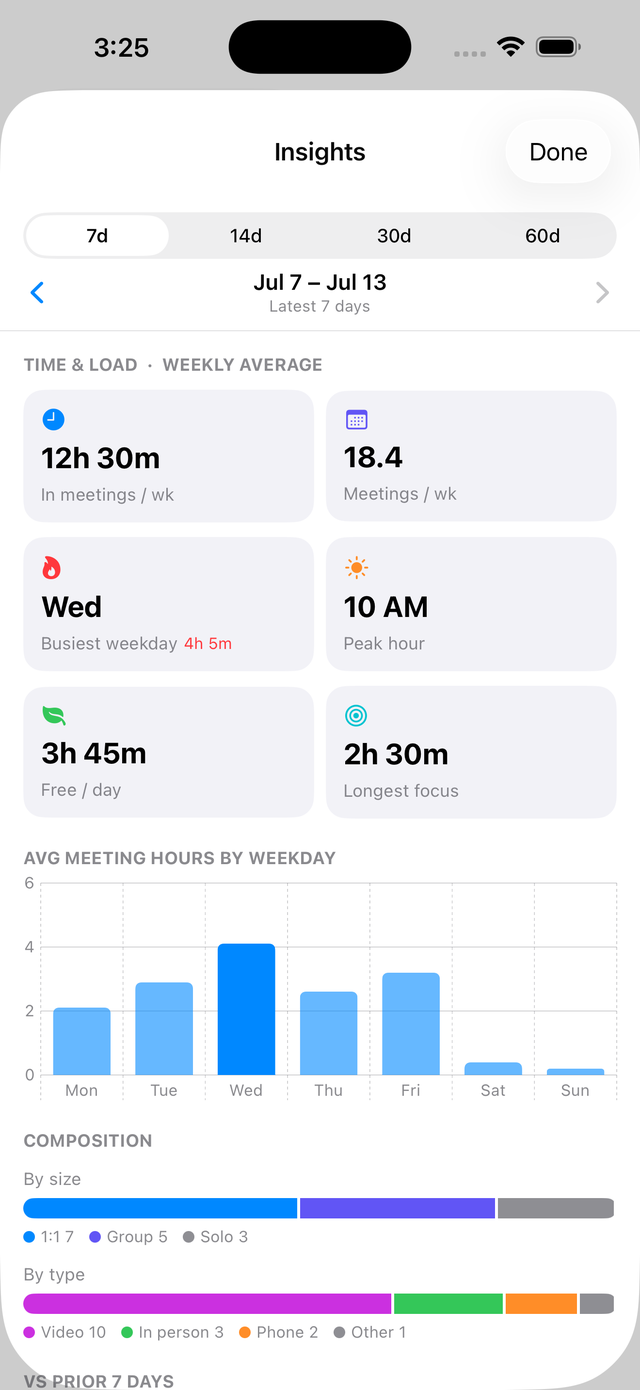
  • your Apple activity rings and steps alongside your schedule
  • last night’s sleep score, right where you plan your day
  • optional — turns on only if you allow it

Proactive, not noisy

  • a morning briefing and an evening preview of tomorrow
  • gentle "starts in 5 minutes" and "leave now" alerts you can toggle
  • the Dynamic Island counts down to your next appointment

Made yours

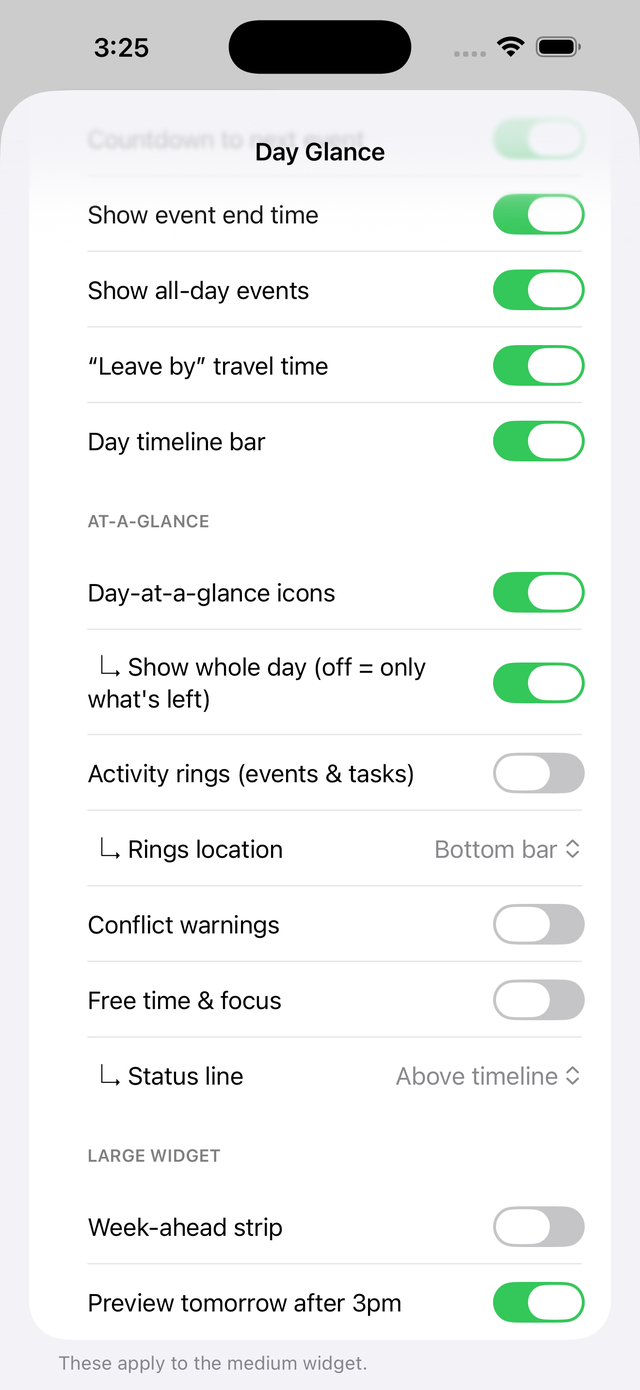
  • themes, accent colors, backgrounds and per-widget options
  • contextual icons that recognize meals, medical, money, flights and more
  • collapsible settings grouped by what they do

Kept private

  • everything stays on your device — no account, no sign-in
  • no ads and no tracking, ever
  • reads your calendar, reminders and (only if you allow) Apple Health
Universal app

Beautiful on iPad, too.

One purchase covers iPhone and iPad. Widgets, Today, Week and Insights all adapt to the bigger screen — tight-but-safe, never stretched.

Day Glance Pro running on iPad

Start free. Go Pro when you want more.

The at-a-glance widget is free, forever. Day Glance Pro unlocks the full app — the Today, Week and Month views, a nightstand Display Mode, weather that follows your travel, and AI meeting notes on your calendar.

Free

$0forever

The day-at-a-glance widget on your Home & Lock Screen.

Pro Monthly

$2.99/mo

The full app, month to month.

Pro Yearly

$19.99/yr

Best value on Pro.

Popular

The widget is free forever. Day Glance Pro is an auto-renewable subscription — cancel anytime in your Apple Account settings. Prices in USD.

I built the calendar widget I always wanted.

See your whole day — calendar, reminders, weather, focus time, and optional Apple Health — the moment you glance at your phone.

Download on the App StoreGet it on Google PlayComing soon

Free to download · everything stays on your device.