Skip to content
Features

Everything Day Glance Pro does

A calm, glance-first view of your whole day — widgets, meetings, reminders, weather, health and focus — all on-device.
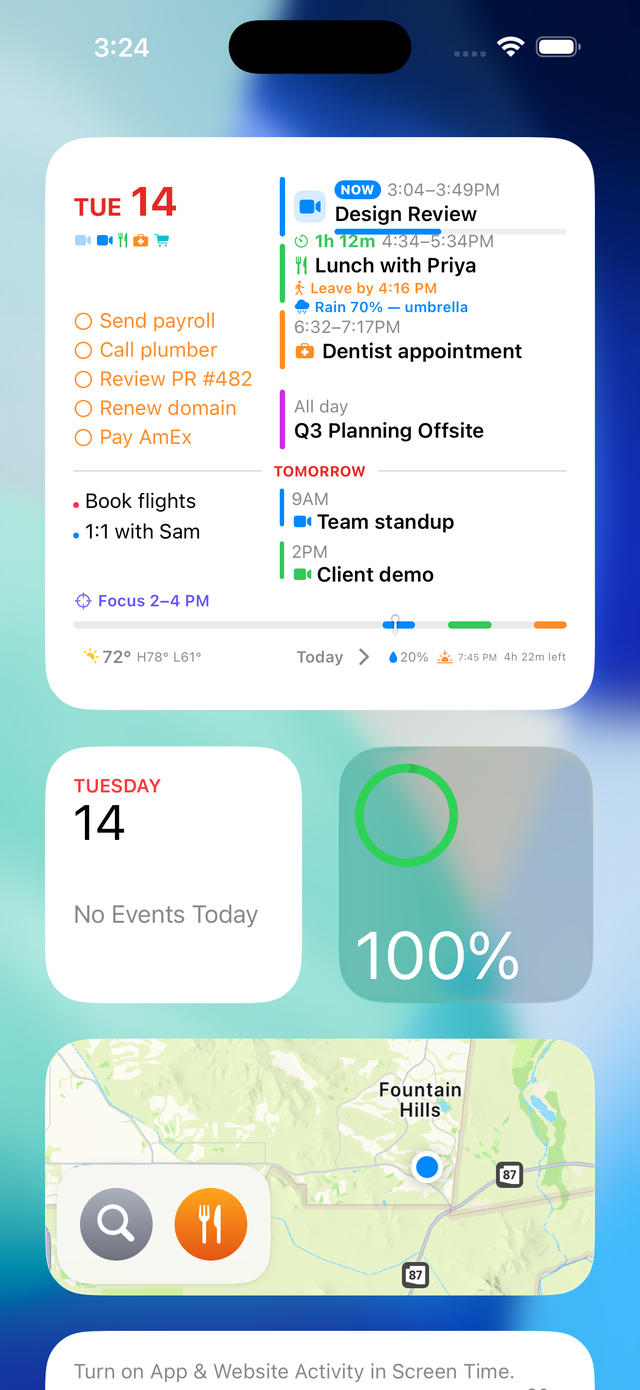
Large Day Glance Pro widget on the Home Screen
Widgets

Your day at a glance

  • shows your whole day — events, reminders and weather — in one Home or Lock Screen widget
  • surfaces your "now" and "next" with a live countdown and a progress bar
  • a row of tiny icons so you read the shape of your day in a single look — three calls, then lunch, then a flight
  • comes in small, medium and large — put it where it fits your setup
  • tap the widget to open Today, tap the date to jump to your Week
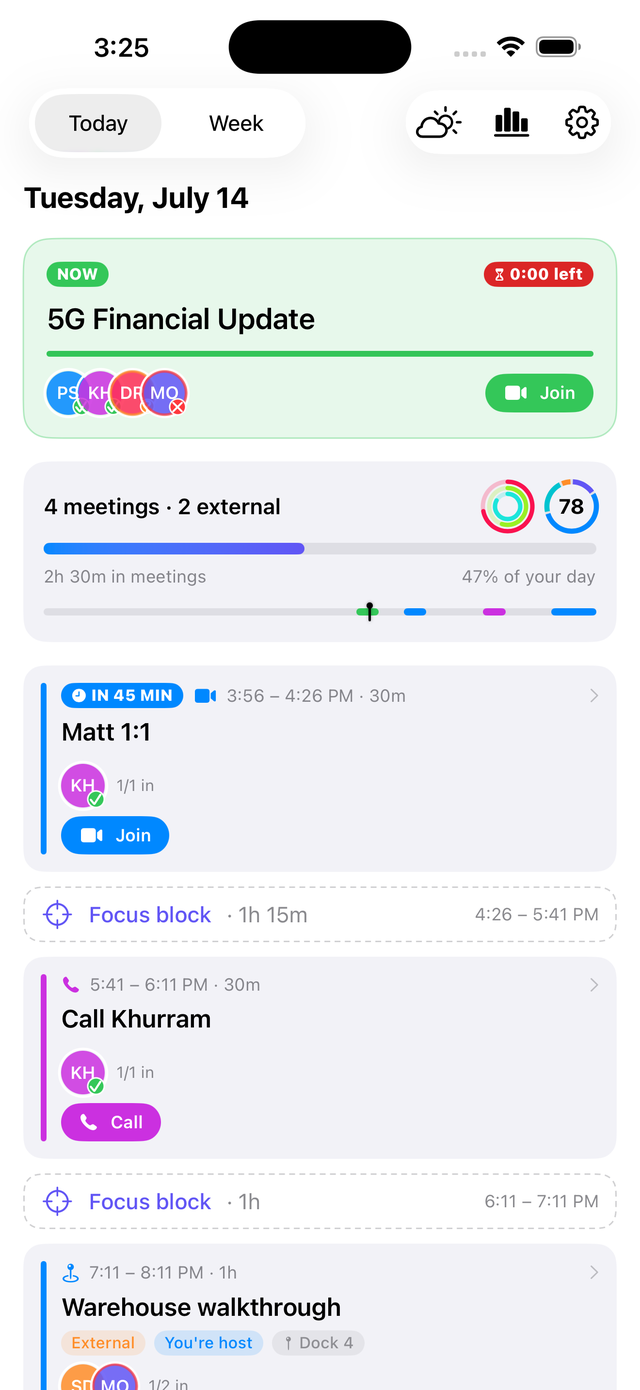
The Today screen with a live meeting and attendees
Meetings

Meetings, handled

  • notifies you by push or a prominent alarm if you’re double-booked
  • the Dynamic Island counts down to your next appointment, then flips to the time remaining once you’re in it
  • join your video meetings (Zoom, Meet, Teams…) with one tap
  • one tap for directions to in-person appointments
  • tells you at a glance what time to leave, using live traffic
  • shows who’s actually coming — accepted (green), tentative (yellow), declined (red)
  • a break-through pre-meeting alarm that rings even on Silent or Focus, with a sound you pick
  • swipe a meeting away when it wraps up early
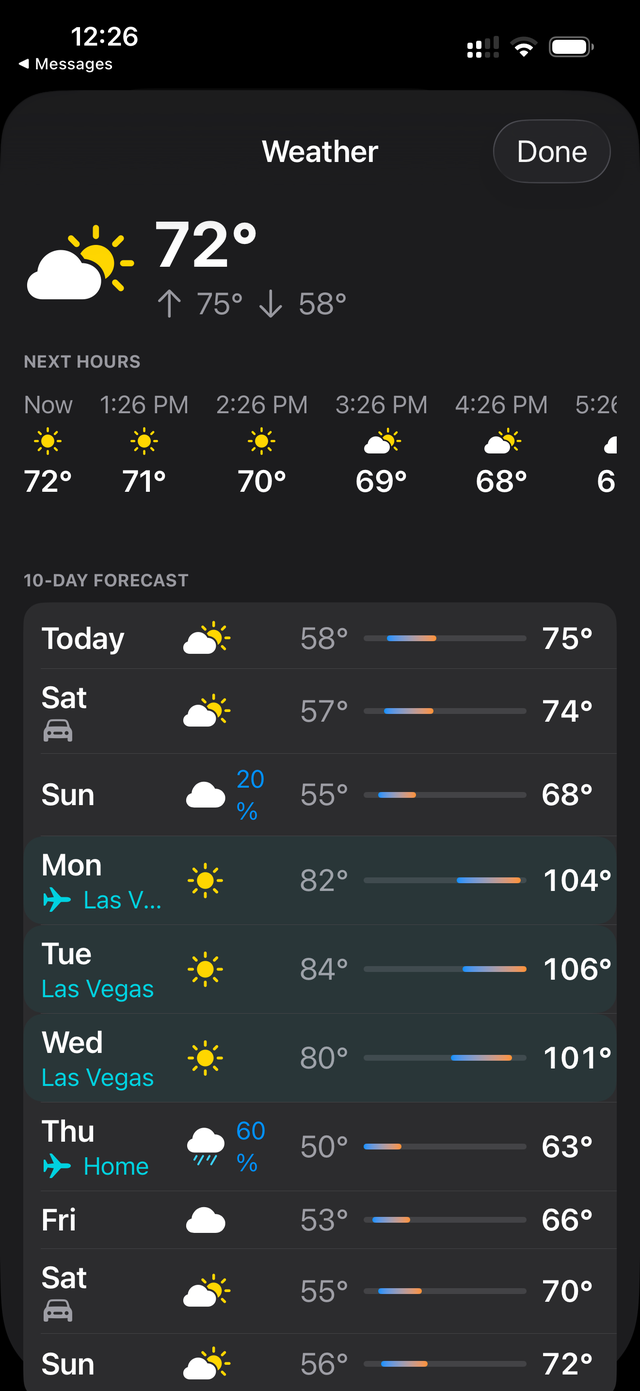
The weather detail with an hourly strip and a 10-day forecast, showing destination weather on travel days
Weather

The weather, right where you’ll see it.

Not another weather app to check — it’s woven into the day you’re already looking at.

  • rain on your 3 PM shows up on the event itself, not in a separate app
  • an hourly strip and a full 10-day forecast, built right into your view
  • on travel days, you see your destination’s weather instead of home
  • a traffic-aware “leave by” for events with a location
Display Mode

Your nightstand, upgraded.

Set your phone on a stand while it charges and Day Glance Pro turns landscape into a live dashboard — the time, a big countdown to your next meeting, and the rest of your day. It starts on its own, so your desk or bedside always shows the plan.
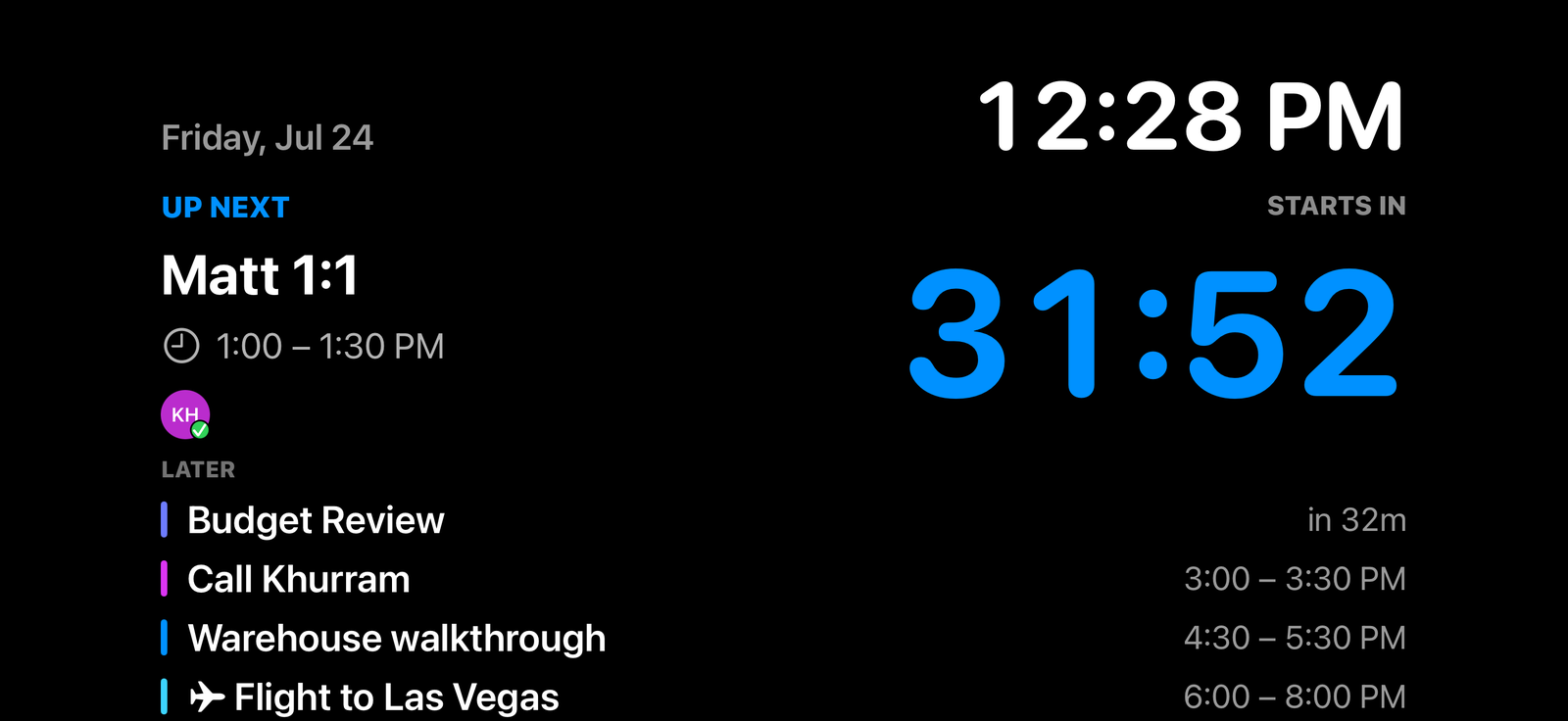

Display Mode — a full-screen landscape dashboard with the current time, a live countdown to the next meeting, and the rest of the day’s schedule

Reminders + tasks

  • shows what’s due today right beside your events
  • check reminders off straight from the widget — no app-switching
  • reminder dots on the Week and Month so nothing sneaks up on you

Weather that travels with you

  • current conditions plus a 10-day forecast, at a glance
  • weather-aware nudges on events ("rain 70% — grab an umbrella", "92° — hydrate")
  • travel-smart: when your calendar shows a trip, the forecast shows your destination city

Your health, in context

  • your Apple activity rings and steps alongside your schedule
  • last night’s sleep score, right where you plan your day
  • optional — it only turns on if you allow Apple Health access

Proactive, not noisy

  • a morning briefing and an evening preview of tomorrow
  • gentle "starts in 5 minutes" and "leave now" alerts you can toggle on or off
  • a "⚠️ overlapping meetings" heads-up before a genuine double-booking

Three ways to see time

  • Today, Week and Month views that slide smoothly between periods
  • a Month view that color-codes each day by how busy it is
  • a full-screen nightstand Display mode that starts when you set the phone on a charger

Made yours, kept private

  • themes, accent colors, backgrounds and per-widget options
  • contextual icons that recognize meals, medical, money, flights and more
  • private by design — everything stays on your device: no account, no sign-in, no tracking

Ready to see your day differently?

Download on the App StoreGet it on Google PlayComing soon

Free to download · no account, no tracking.